Performance in an open-world Unreal Engine 5 game, Part 2: Simulating a city on a 16.7ms budget
This is Part 2 of four. Part 1 covered the engine defaults and build flags we changed, and ends with a table of the settings discussed across the four parts. Part 2 is about the systems we built to make a simulated city affordable on a 16.7ms game-thread budget, and what we learned running them. Part 3 covers keeping that work inside the frame: budgets, garbage collection, significance and hitches. Section numbering continues from Part 1. As in Part 1, savings are given as rough magnitudes, and everything described is in the shipping game as of writing. The console version is on Xbox Series X|S and PlayStation 5.
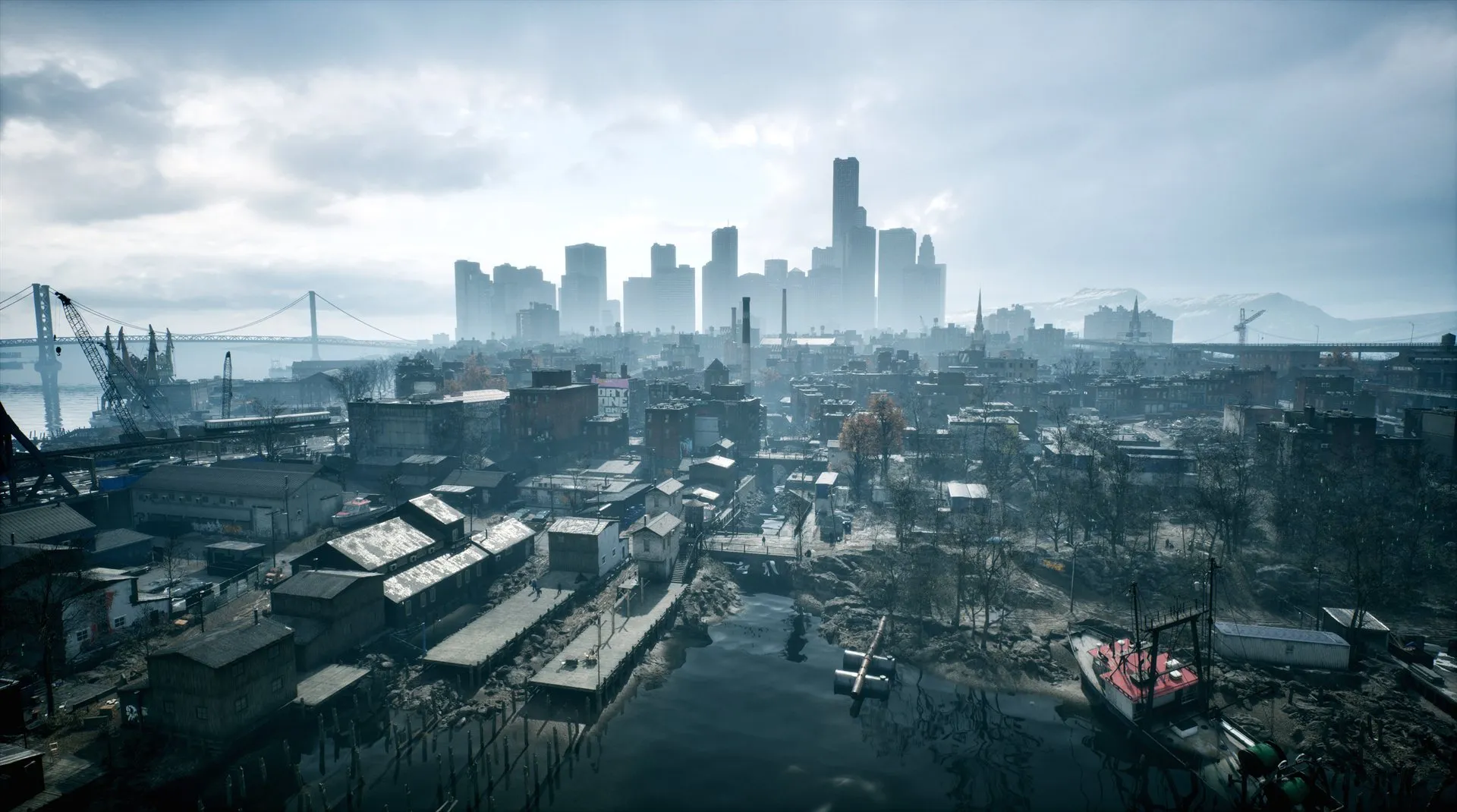 The city seen from the harbour. Every building, road and vehicle in view has to be paid for inside 16.7 ms on console.
5. Five custom systems
Several of the sections below refer to five systems we built ourselves. They sit on top of the engine’s own performance work, such as World Partition streaming, Nanite, the significance manager and the animation budget allocator. In most cases they extend or feed into those stock systems instead of replacing them. They are ours, but the shapes should generalize to any open-world game, so this section gives a short version of each before the details.
Cell streaming. Static world geometry streams without actors. A cook-time transformer strips eligible static actors out of each World Partition cell and bakes their components into a lightweight container, which creates render and physics state directly at runtime. Cell activation gets cheaper, and the live object count that GC has to walk drops by thousands.
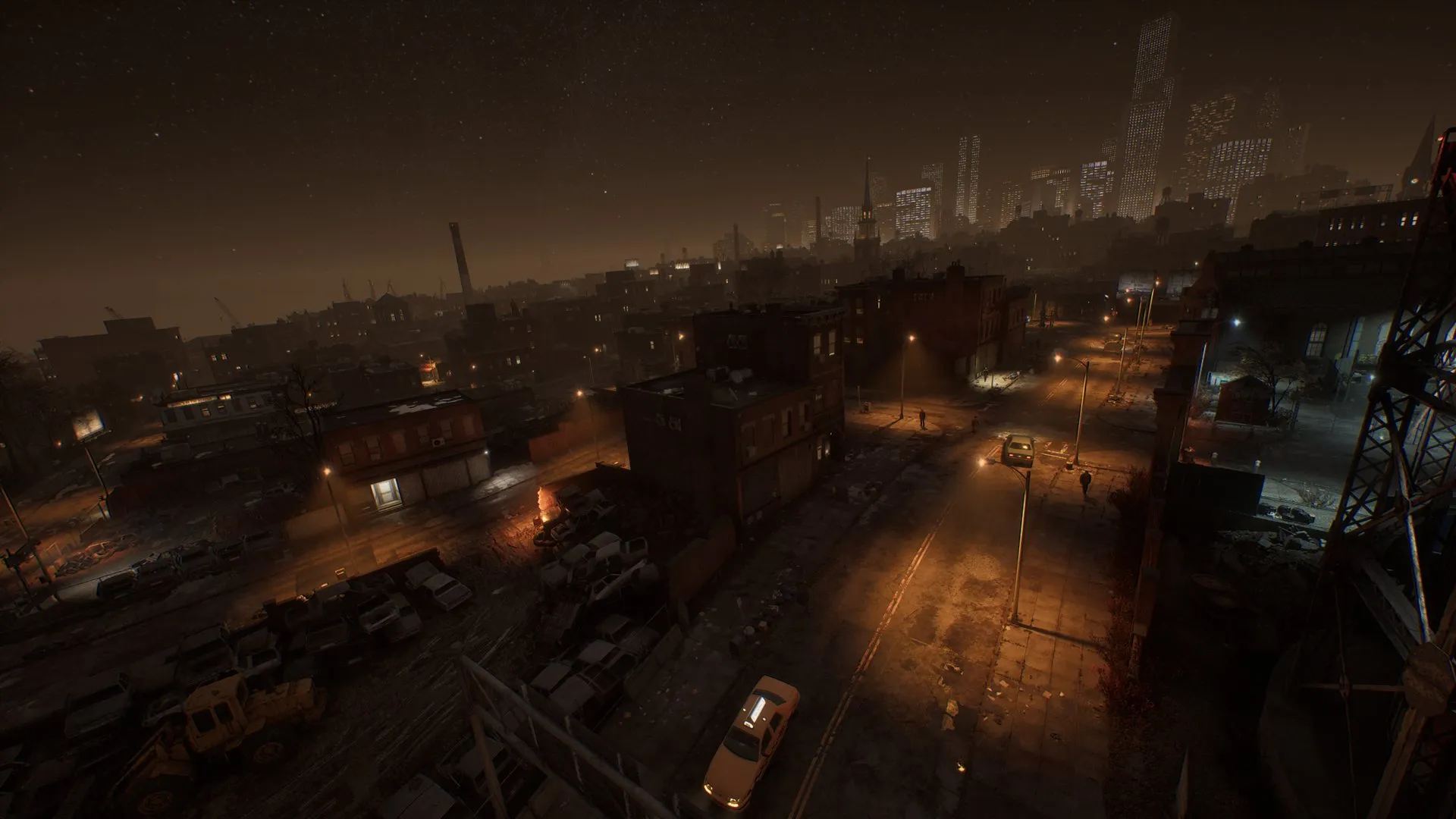 A night street with traffic and pedestrians. Every car and person here is a spirit first, and an actor only while the player is close.
The spirit system. Every traffic car and pedestrian in the world exists permanently as a spirit, a lightweight data record that simulates its route at 30Hz at negligible cost. Whether that spirit also has an actor depends on its distance from the player. The spirit LOD level works as a LOD system for the agent itself, and the same code handles pedestrians and vehicles. Where a mesh LOD decides how many triangles an object renders with, the spirit LOD decides what the agent is. Near the player it is a full actor with physics and AI. Further out it is a cheap proxy, a visual stand-in with neither. Beyond that it is pure data again.
Materialization is the transition up through those levels, building or reusing a real actor for a spirit. It is the expensive step, costing several milliseconds, so it is admitted through the time budget below, and actors come from a custom pool instead of fresh spawns (§12). The scheduler also measures what a materialization costs and admits as many as fit the remaining budget, instead of assuming a fixed worst case. The world stays alive at any population, and you only pay actor cost for what is near.
A central frame-time budget (“TimeShare”). Every expensive periodic consumer asks one shared system for time before doing heavy work each frame (RequestTime), and reports what it spent afterwards (ReportUsedTime). The consumers are level streaming, async loading, GC, navmesh building, AI sight and spirit materialization. The pool is a few milliseconds per frame on console. Denied consumers wait in a priority queue. This turns five independent spike sources into one bounded cost. However much work wants to happen this frame, only the budgeted share of it runs. Ours starved navigation and streaming for seconds at a time before we found them, and the same problems will appear in any scheduler built this way (Part 3, §15).
Batched ticking (“bulk tick”). Components that exist in the hundreds (NPC AI controllers, grooms, vehicle effects) do not register individual engine tick functions. A bulk-tick subsystem disables their FTickFunctions and ticks each group from one loop. That gives one scheduler entry instead of hundreds, and one place to apply tick intervals and to move thread-safe groups onto worker threads (§14).
Significance drives everything. A per-NPC significance value, computed once, that every cost knob consumes: animation budget, tick rates, brain rate, feature toggles (Part 3, §17).
6. Cell streaming: our variation on Fast Geometry Streaming
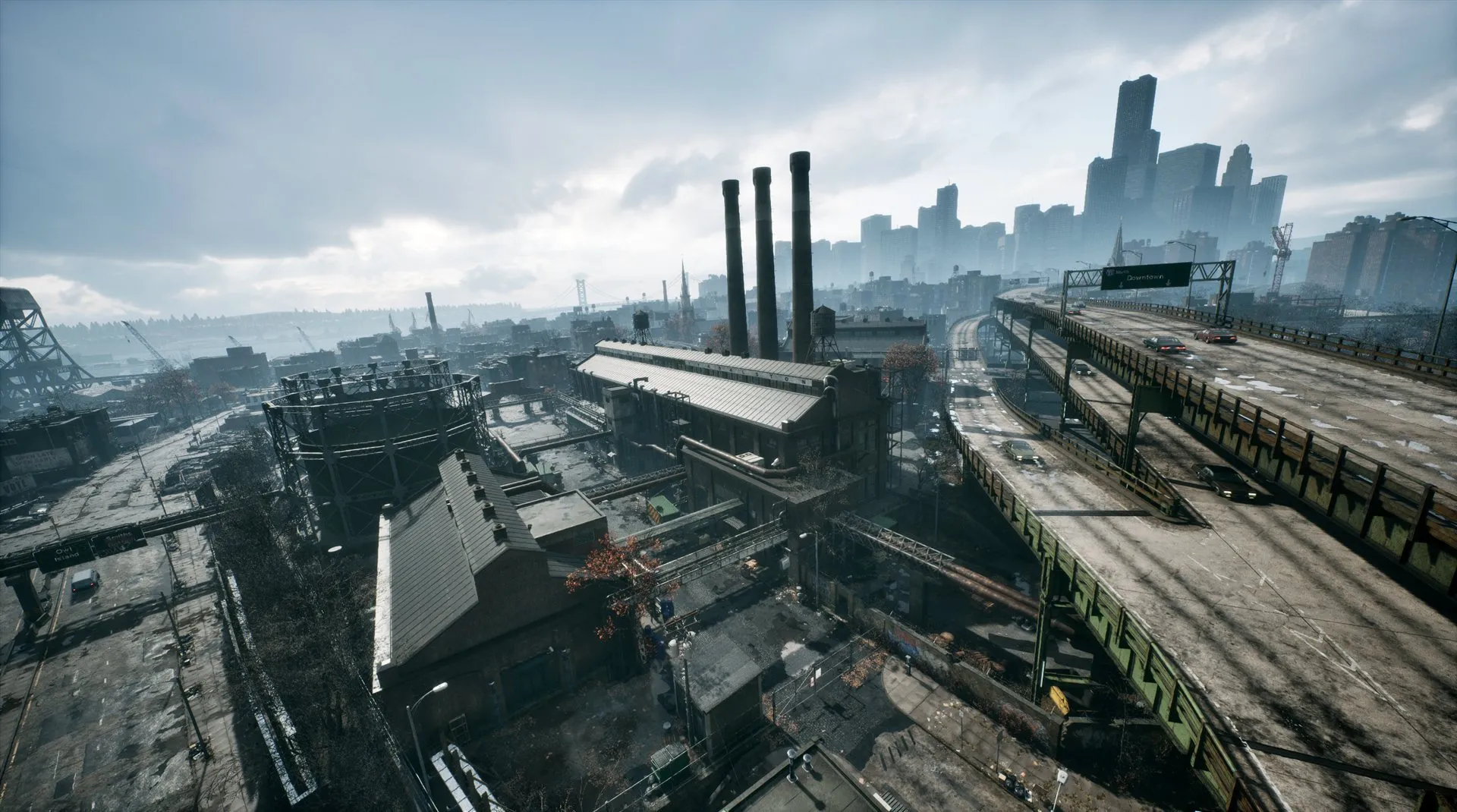 Dense static set dressing like this industrial district is what cell streaming strips of actors at cook time.
Unreal ships an experimental Fast Geometry Streaming plugin whose core idea is sound. A World Partition cell transformer runs at cook time, strips eligible static actors out of each streamed cell, and bakes their components down into a lightweight container object. At runtime the container creates render and physics state directly, with no actor spawn, no UObject component registration, and no per-actor tick function. Cell activation gets much cheaper. Just as valuable in our world, the live UObject count drops by thousands, which directly shrinks GC reachability cost. This is the same lever as Part 1’s GC section: reachability scales with live objects, and stripped geometry is invisible to GC.
We run a fork of the plugin as a game module instead of the stock plugin. The plugin is marked Experimental and our game is live, so forking gives us control over what changes and when. It also keeps the code out of Engine/, where it survives engine upgrades as ordinary game code, and it lets the system integrate with game systems the stock plugin cannot know about. What our variation does differently from the stock plugin as it ships today:
- Decals stream through it too. Stock handles primitive components. Our city streets are dressed with a lot of decals, so we added a cell-streaming decal element and widened the cook-time transformer to consider non-primitive components.
- Collision for packed level actors. Much of our set dressing is packed level actors (many meshes collapsed into one actor). We added a dedicated collider element so their collision streams through the same actor-less path, with body-instance ownership held by the container instead of a live component.
- Physics-creation budgets that adapt to streaming pressure. Stock creates physics state asynchronously under one fixed time budget. Ours takes the per-frame budget from World Partition’s streaming-performance state (Good / Slow / Critical, each with its own budget), so collision materializes fastest when the player is outrunning the streamer. It reports its spend into the frame-wide TimeShare budget (§5), so other budgeted systems back off on frames where streaming had to go heavy.
- PSO-precache completion is batched and budgeted. When PSO precaching finishes for a freshly streamed cell, hundreds of components want their render state recreated at once. We batch the completion callbacks, drain pending cells incrementally under a shared per-frame component budget, and run the recreation through batched scene contexts with a parallelized create pass. Part 3, §19 describes how this halved the recreate burst.
- Cook-time ray-tracing grouping. The transformer groups a packed level actor’s components into ray-tracing groups, by shared-material frequency with tunable thresholds. That keeps the RT scene’s instance population reasonable for geometry that no longer has actors to group it.
- Audit tooling. A second, analysis-only cell transformer plus a World Partition builder commandlet report, across the whole world, which actors and components failed transformation and why. The transformer’s biggest lever is coverage, since every rejected actor is a full-fat actor at runtime, and content teams can only fix rejection reasons they can see.
- Scope cuts. Stock supports skinned meshes and procedural ISM. Our stripped content is static meshes, instanced static meshes, decals, and colliders, and we keep the surface that small on purpose.
For your own project: if you are on World Partition with heavy static geometry, evaluate the stock Fast Geometry Streaming plugin first. Stripping the actors is where most of the saving comes from. The audit report and the fork are the parts of our variation worth copying. The audit report tells you what percentage of the world was transformed, and why the rest was not. Coverage decides how much you save, and the content team can only fix rejections they can see. The fork puts the plugin into a game module. The plugin is Experimental and changes between engine versions, and a fork keeps that churn away from a live branch.
7. Fixed-step async physics
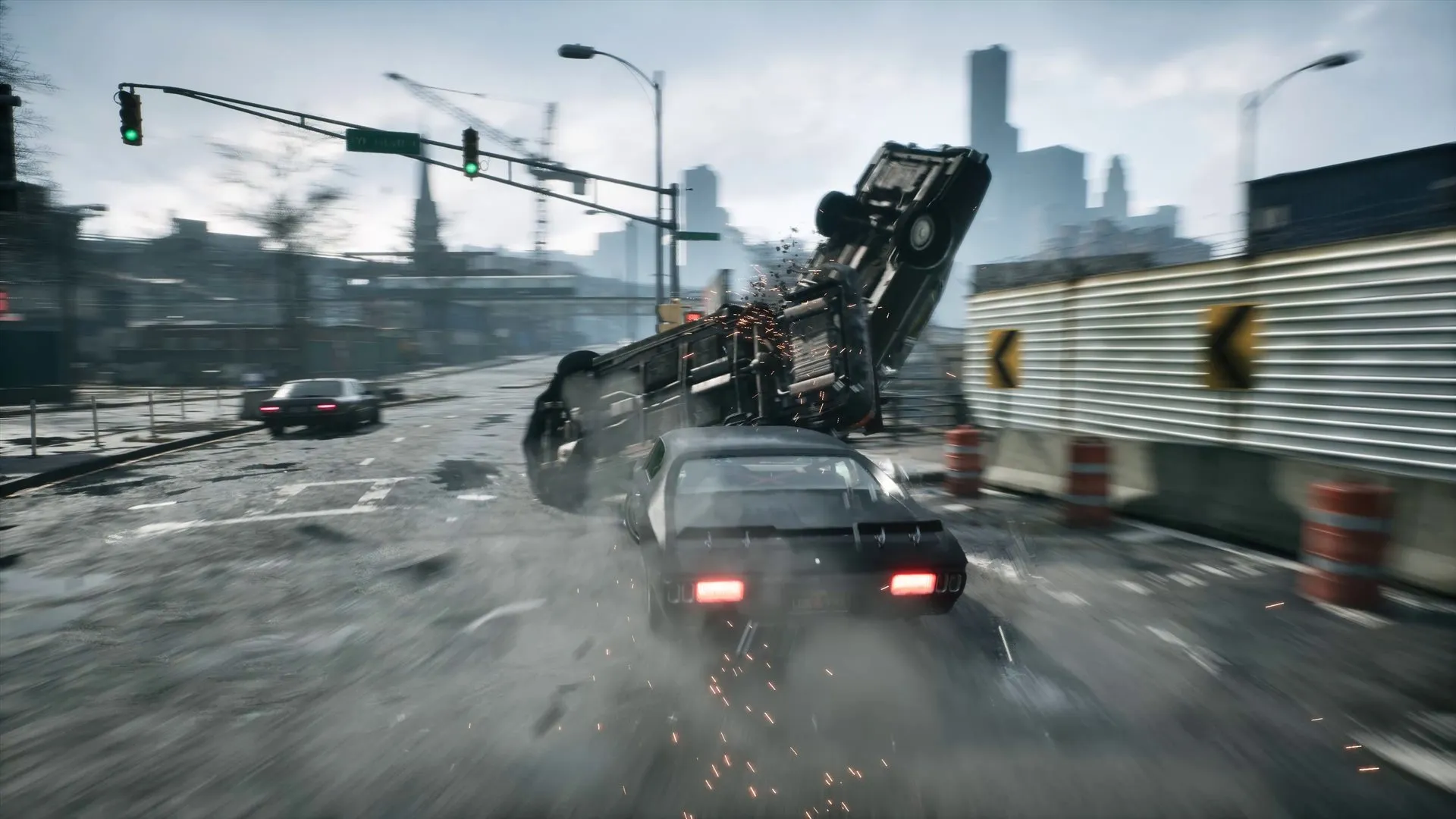 A traffic car flipping after a collision. Vehicle handling, destruction and ragdolls all run on the same fixed 33 ms physics step.
We run Chaos in async mode with a fixed 33.3ms step (bTickPhysicsAsync=True, AsyncFixedTimeStepSize=0.033333). Physics advances at 30Hz on worker threads, decoupled from the render frame rate.
Why we did it. A physics solver integrates reliably only when its time step is constant. Joint limits, drives, friction and contact response are all tuned against one dt, and their results change when the step size moves under them, whether the thing being simulated is a vehicle, a ragdoll or a swinging sign. Vehicles were the most visible case for us, and we did not have to take it on faith. An automated test drove the same vehicle with the same inputs at different frame rates and measured the distance travelled. With the engine default, a variable step on the game thread, the distances differed. With the fixed async step they were the same at every frame rate. Suspension response, friction impulses, and stability all change with dt, so a variable-step vehicle handles differently at 30fps, at 60fps, and during hitches. A fixed step makes handling identical at any frame rate. A car tuned at one frame rate handles the same at every other, and nothing has to be retuned when the frame rate changes. A constant step also keeps solver cost predictable. There is no death spiral where a long frame produces a bigger catch-up step, which produces a longer frame. It is the same family of correctness issue as §8’s framerate-dependent AI vision, except the fix here is structural instead of per-system.
What it does for a 60fps target. Two structural benefits we leaned on throughout production:
- The solver steps 30 times per second on worker threads instead of 60 times inline on the game thread. That halves the solve count, and the game thread’s per-frame physics involvement shrinks to marshaling at the tick-group boundaries.
- The fixed step becomes a 30Hz clock the rest of the game can pace to. Everything in §8 (sight sweeps, distant-agent simulation, AI think) rests on one fact: between physics steps, transforms and the traceable scene do not change, so re-querying them every render frame is redundant work.
What running physics async requires, at any frame rate. None of the following is specific to 60fps. It is the work you take on as soon as the solver runs on its own thread with its own clock.
- Latency. Game code sees physics results one step late, and marshaling adds more. Engaging a ragdoll through the async readback path can hold the last pose for most of a tenth of a second. Death and ragdoll transitions have to be designed around that, for example by blending from the last animated pose instead of waiting on the solver. Blending animation and physics poses across that gap also needed an engine edit. The skinned mesh component keeps two pose buffers, and while parallel animation evaluation is writing one, the other is the current frame, so there is no previous-frame pose to blend from. We triple-buffered the component-space pose so the previous frame stays readable during evaluation.
- Marshaling. The solver runs its own copy of the vehicle on the physics thread, and nothing on the game thread may touch it directly. Every frame the game thread fills an input record with what it wants applied (throttle, brake and steering after the input curves, gear changes, gravity) and the solver consumes it at its next step. In the other direction the game thread unpacks an output record the solver produced (engine RPM, wheel angles, contact state, current gear). Since the solver steps at 30Hz and the game renders at 60, the engine keeps the last two outputs and interpolates between them for the frame in between. Any gameplay feature that wants to influence the simulation has to become a field in that input record. Our burnout, drift, out-of-control and steering-assist logic all run inside the solver, and their game-side switches travel in fields we added to the engine’s input struct. Impulses from collisions and takedowns cannot be applied at the moment gameplay decides them either. They go into a deferred-force queue that the solver drains at the start of its next step, and we had to extend that queue for angular impulses.
- Reading results back. The boundary exists on the way out as well. Everything the game thread reads is at least one interpolation window old, 67 ms in our configuration, and code that assumes otherwise fails only on hardware slow enough to expose it. Our vehicle destruction volume was led ahead of the actor by a hard-coded 67 ms. On Steam Deck, where we widened the interpolation window to 100 ms, the simulated car reached destructible props before the volume did and either stopped dead or tunnelled through them. The lead now derives from the solver’s actual interpolation settings.
- Interpolation. Physics-driven objects move at 30Hz while the camera renders at 60. The engine’s interpolation covers rendering, but any gameplay code that snapshots raw body transforms sees the steps.
- Async discipline. Every “read physics, then mutate” pattern must respect the boundary. Scene queries answer as of the last completed step, and game-thread writes land on the next step. Several of our AI systems needed explicit kick/flush coupling to stay coherent.
- Lock contention. With the solver on its own thread, every scene query and every game-thread write takes the physics scene read/write lock, and time spent waiting for it shows up inside whatever scope took it. Run with
-trace=default,chaoslocksand Unreal Insights adds a “Physics Scene Locks” track, one region per lock scope, with the wait before the lock was acquired shown separately from the time it was held.
For your own project: if anything tuned by hand (vehicles above all) feels different across frame rates, you have a variable-step dependency. You can compensate in each affected system, but every new system will need the same work, and a fixed step removes the dependency for all of them at once. Adopt it early. Retrofitting the latency tolerance into a shipped game is much harder than building with it from the start.
8. Run systems at the rate their inputs change, not at frame rate
This was the most repeatable class of win for us. If a system reads state that only advances at 30Hz, running it at 60fps re-derives identical answers. It also often makes gameplay behavior framerate-dependent, which is a correctness bug as well as waste.
What we capped:
- AI sight perception, paced to the async physics rate. The sight sense swept its whole query population every frame, but with the fixed 33ms physics step from §7, transforms and the traceable scene only change at 30Hz. Sight cost fell by nearly half and total perception cost by about 40% at matched NPC density. It also removed a real behavior discrepancy where NPCs in 60fps mode spotted the player twice as fast as in 30fps mode.
- Spirit simulation, capped at 30Hz with an accumulated delta so movement stays time-correct. This roughly halved its per-frame cost at 60fps and was the biggest single win of the throttling effort.
- AI think (data processing and targeting), capped at 30Hz, with a full-rate exemption while the player is in combat.
- Behavior trees, clamped to 30Hz at the scheduler level. BT components self-schedule at the minimum interval of their services, so one asset-side
Interval=0service forces every-frame ticking for the whole tree. While we were in there, we also ported the hottest Blueprint BT services and decorators to C++. A per-frame Blueprint call carries interpreter overhead that is worth removing once the service runs on every NPC. - The significance manager, capped at 30Hz. A small but real win, on the scale of a tenth of a millisecond.
- Far pedestrian position updates, staggered by visibility. At the proxy LOD, pedestrians update their position every 3rd frame when visible and every 11th frame when behind the player. The difference is not visible, and the saving grows with the number of pedestrians behind the player.
How to do it right:
- Use a wall-clock accumulator with a half-frame look-ahead (
acc + 0.5*dt >= interval) instead of integer frame-skipping. Frame-count caps undershoot the target rate and break down when frame rate varies. - Pass the accumulated delta into the throttled update so simulation advances by real elapsed time.
- Staleness is often already accepted. If your shipped 30fps mode already runs the system at 30Hz, capping it at 30Hz in the 60fps mode adds no staleness that players have not already accepted.
For your own project: list everything that ticks every frame and ask, for each, at what rate its inputs change. Then pick throttle targets by measured cost. We initially wired a throttle into 21 subsystems, found that 19 of them were near-free, and reverted those. The win was concentrated in two.
9. The hidden kernel cost of render-command enqueues
Unreal Insights showed nothing unusual here. It took a sampling profiler with context-switch stacks (Superluminal plus xperf) to see that nearly a quarter of game-thread busy time was inside kernel thread-wake syscalls under ENQUEUE_RENDER_COMMAND. The render thread drains its queue fast and goes to sleep, so nearly every individually enqueued command pays a SetEvent wake to get it running again. That cost is spread across every scope that enqueues, so an instrumentation profiler cannot see it.
Our largest single source was groom (strand hair) components. Each one enqueues a transform-update command per frame, unconditionally, and our NPCs carry several grooms each (hair, brows, lashes). Batching all groom updates into one render command per frame, behind a kill-switch cvar, shrank that source by about 80%, on the order of half a millisecond a frame.
For your own project: take one sampling capture with kernel stacks and sum the time under your render-command enqueue path. If you tick many components of a type, batch their render-thread updates, and skip the enqueue entirely when the payload is unchanged. Check first, because some engine paths, like material parameter setters, already early-out.
10. Physics running for objects nobody can see
Two of our larger wins were physics running for objects that were invisible or irrelevant.
Hibernated far-LOD traffic cars were free-falling through the world. When a traffic car drops to its far LOD, we do not destroy the full vehicle actor. It is hibernated: hidden, collision off, physics meant to be off, kept around so the swap back is cheap while the lightweight proxy represents it on the road. A probe on physics-to-component sync moves showed that more than half of all of them belonged to these hibernated, invisible cars. Hibernation disabled collision, which destroys the physics bodies, and then something recreated the physics state. That left an invisible full-fat vehicle simulating gravity with no collision, in terminal-velocity free fall, forever, for dozens of cars per frame. It was hard to spot: the visible proxy drove the route correctly, FellOutOfWorld destroys without logging, and the state corrected itself on LOD-up. The fix was to destroy any physics state created while hibernated and make sure it is recreated on wake. That removed on the order of half a millisecond per frame of physics and sync work, and hundreds of thousands of redundant component moves per soak.
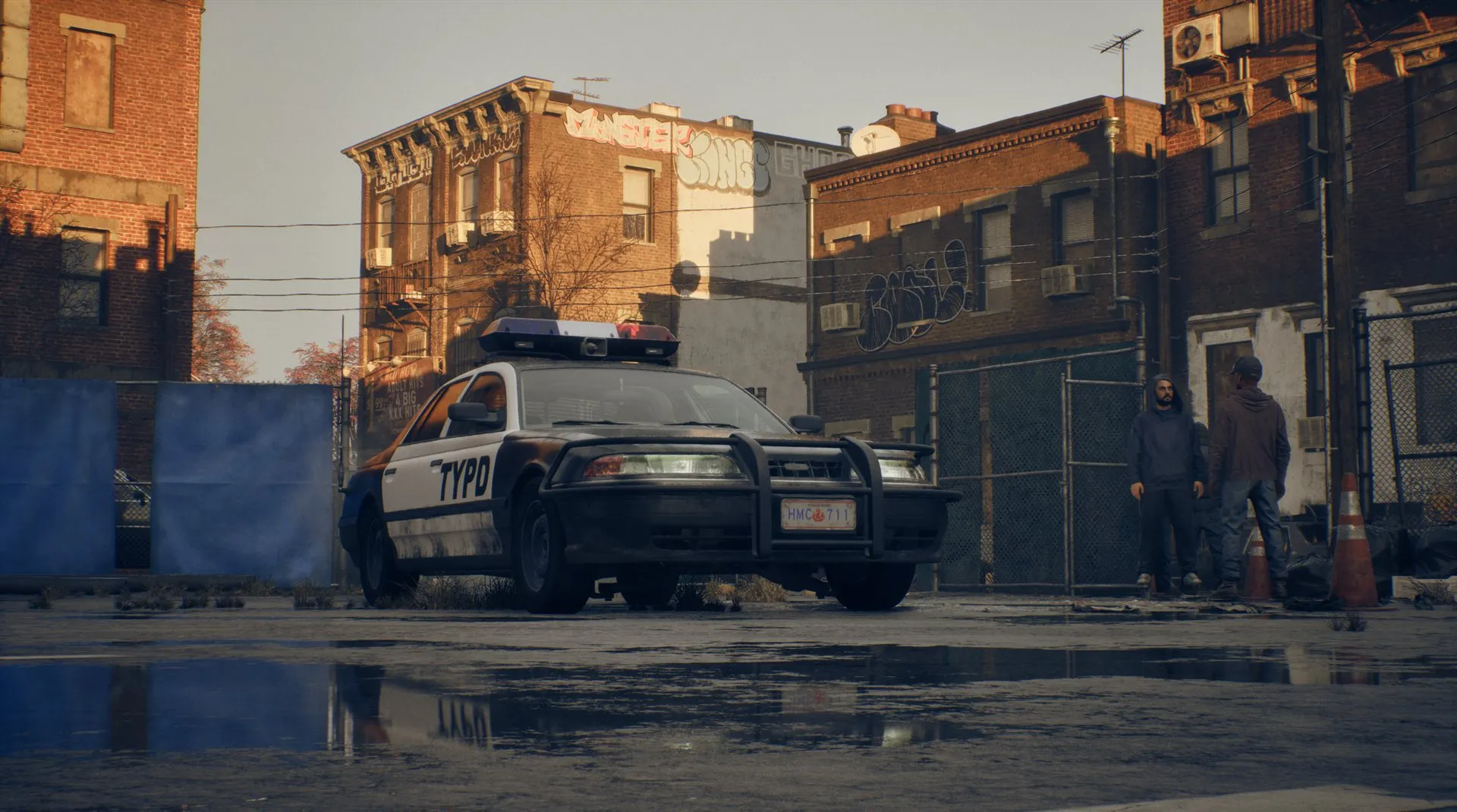 A parked police car by the kerb. One free wheel was enough to keep a car like this simulating forever.
Parked cars with one wheel over a kerb never slept. An anti-wheelspin check (“any wheel spinning, keep awake”) meant a free wheel touching nothing spun forever. That kept the chassis simulating at any distance and blocked the swap to a cheap proxy. The fix was a held sleep: once a parked car has been still for a couple of seconds, sleep it and keep asserting sleep while it still qualifies. The first version decided once and lost the race to the waker every frame, with under 1% of frames asleep. Holding it got that to around 90%.
For your own project:
- Do not trust the intent flags.
IsSimulatingPhysics()reads a bool that says what was requested. Query the solver (IsPhysicsDisabled(),IsInstanceAwake()) to learn what is running. A cheap counter of “solver-awake bodies by object state” is how we found both bugs. - When a defect is too rare to test in normal play (ours appeared roughly once per half-hour, and identical baseline runs spread by more than an order of magnitude), construct the repro. Force every object into the failure state with a debug cvar and turn a rare event into a continuous metric. That gave a definite answer in minutes, where soak runs had not in days.
11. Skipping child-transform updates for off-screen vehicles
 A vehicle up close. Body panels, lights, glass and wheels are separate attached components, and every one of them is recomputed whenever the chassis moves.
Our vehicles are set up much like Epic’s City Sample: a chassis skeletal mesh with dozens of attached child components (body panels, doors, windows, wheels, lights, effect and audio components). Ours adds a custom destruction system and moves much of the Blueprint-side functionality to C++. Every time physics pushes the chassis (30Hz per vehicle, §7, for every vehicle with a simulating body), the engine recursively recomputes the world transform of every child. For the majority of those vehicles, which are off-screen at any given moment, all of that work produces nothing anyone can see.
Skipping that work is a safe win whenever the work is significant, and whether it is significant depends on your vehicle setup. A City-Sample-style deep attachment tree has a real cost here. A vehicle that is one mesh and four wheels does not.
The fix, and the engine hack that enables it. USceneComponent::UpdateChildTransforms is not virtual, so there is no seam to hook. Our entire engine edit is one word: adding virtual to that declaration. Everything else lives in a game-side USkeletalMeshComponent subclass used as the vehicle chassis mesh, whose override skips child propagation when the vehicle is outside the view frustum. When you have to touch the engine, make the edit a hook and keep the behavior in game code. A one-word diff is trivial to re-apply on each engine upgrade.
The skip logic is the hard part, because a naive “skip when off-screen” leaves cars visibly frozen in the wrong place. The guards:
- Recently-rendered components always update, riding the engine’s existing rendering hysteresis so anything on the edge of the screen stays correct.
- One extra update after leaving the frustum, so the children’s final off-screen state is coherent before skipping starts.
- Test where the children visually are, not where the parent is now. While skipping, the children sit frozen at the last-updated position. If that stale position drifts into view, or the camera swings toward it, update immediately. Skip logic keyed only on the parent’s current position shows the player a ghost car frozen at its old spot.
- A catch-up when physics settles. If the body falls asleep while off-frustum, sync moves stop, and with them the assumption that “the next update will fix it”. The children would be stale forever. A one-shot forced propagation on sleep covers that case.
- Teleports always propagate, and the skip state resets on pool reuse (§12).
Two more wins in the same component:
- Skip the overlap walk when nothing listens. After physics moves a vehicle, the engine’s
UpdateOverlapsstill recurses into every attached primitive child even when the mesh has overlap events disabled. That describes every traffic, parked and AI vehicle, and the player’s car when nobody is driving it. An override that early-outs when overlap events are off removed a walk that dominated per-vehicle cost on the post-physics tick. The same walk showed up again elsewhere. Streaming in a cell full of hazard volumes ranUpdateOverlapson each one during load, costing multiple milliseconds on those frames. We disabled it while streaming in, since nothing can be overlapping an object that just arrived. - Children share the parent’s bounds (
bUseAttachParentBound), so per-child bounds updates and culling tests collapse into the chassis’s. One carve-out: translucent parts (windows) keep their own bounds, because the translucent sort key derives from the bounds origin and collapsing it breaks draw ordering.
For your own project: find your deepest attachment trees and multiply children by update rate by instance count to estimate the cost of transform propagation. Then look at UpdateChildTransforms and UpdateOverlaps in a profile. Both walk the whole tree per move by default, whether or not anyone can see the result or listens for the events.
12. Pooling heavy actors, and warming the pool to the right shape
Unreal has no built-in pooling for actors, and spawning a heavy one is always a hitch. A full traffic vehicle (actor, skeletal mesh, physics bodies, effects, audio) costs several milliseconds to construct, several times our entire per-frame hitch budget. In a living city traffic is spawning and despawning vehicles all the time. So actor pooling is a system we added. Instead of destroy-and-respawn as traffic cycles, vehicles (and their cheap far-LOD proxies) are returned to a per-class pool, reset, and handed back out. A pooled take costs a small fraction of a fresh spawn, which turns a constant stream of spawn hitches into cheap reuse. That alone is worth doing for any actor class that spawns and despawns continuously.
Pooling brought problems of its own.
First, most pooling bugs are reset bugs. Everything mutable must return to its authored state on the way back into the pool. One of our subtlest bugs was a once-damaged vehicle whose damage-modified physics configuration survived pool reuse and leaked into every later spawn of that instance. Two structural choices help contain this class of bug. The pool is a rotating queue instead of a stack, so no single actor gets reused forever and an actor broken in some way we failed to predict cycles out naturally. And some states are never pooled. Dead pedestrians and destroyed vehicles are discarded instead of reset, because proving a full reset for those states costs more than the spawn they would save.
Second, a pooled object must unregister from every system that scans populations. Our pooled vehicles were parked 500 meters above the world and hidden, but nothing removed them from the AI perception system, so the sight sense kept running visibility traces against parked sky-cars. The same class of leak appeared with NPCs sitting in vehicles, which kept their own sight sense running even though a separate system controls driving entirely. Any “hide it” path needs a matching “stop considering it” on every scanner.
Third, the pool only prevents hitches while it can serve requests. We saw a few pool misses per minute, each a single-frame spawn spike costing several times the pooled path, while the pool held hundreds of idle vehicles. The pool warmed one vehicle plus one proxy per entry, but far-LOD consumers take proxy only. Proxies drained first, the all-or-nothing Take() failed, and callers did a full fresh spawn while pooled vehicles sat idle. The eviction heuristic made it worse. It counted only vehicles and evicted the least-recently-used classes, which for freshly warmed entries meant destroying the proxies the warmer had just created. Warming proxies deeper than vehicles, decoupling the two budgets and making eviction proxy-aware took pool misses to zero.
For your own project: find your most-spawned heavy actor class and time a spawn. If it is a meaningful fraction of your hitch budget, pool it. Once you have a pool, measure per-class peak in-use for each resource type it hands out, and warm to that shape. And if a cost estimator asks “can the pool serve this?”, make sure it checks the same condition Take() will enforce. Ours said yes, quoted the cheap pooled cost, and then missed. Niagara’s defaults have the same trap: MaxPoolSize defaults to 32 (pooling on), but PoolPrimeSize defaults to 0, so the first few spawns of every effect asset still pay full cold-start Init.
13. Spread spawn-time initialization across frames and LOD levels
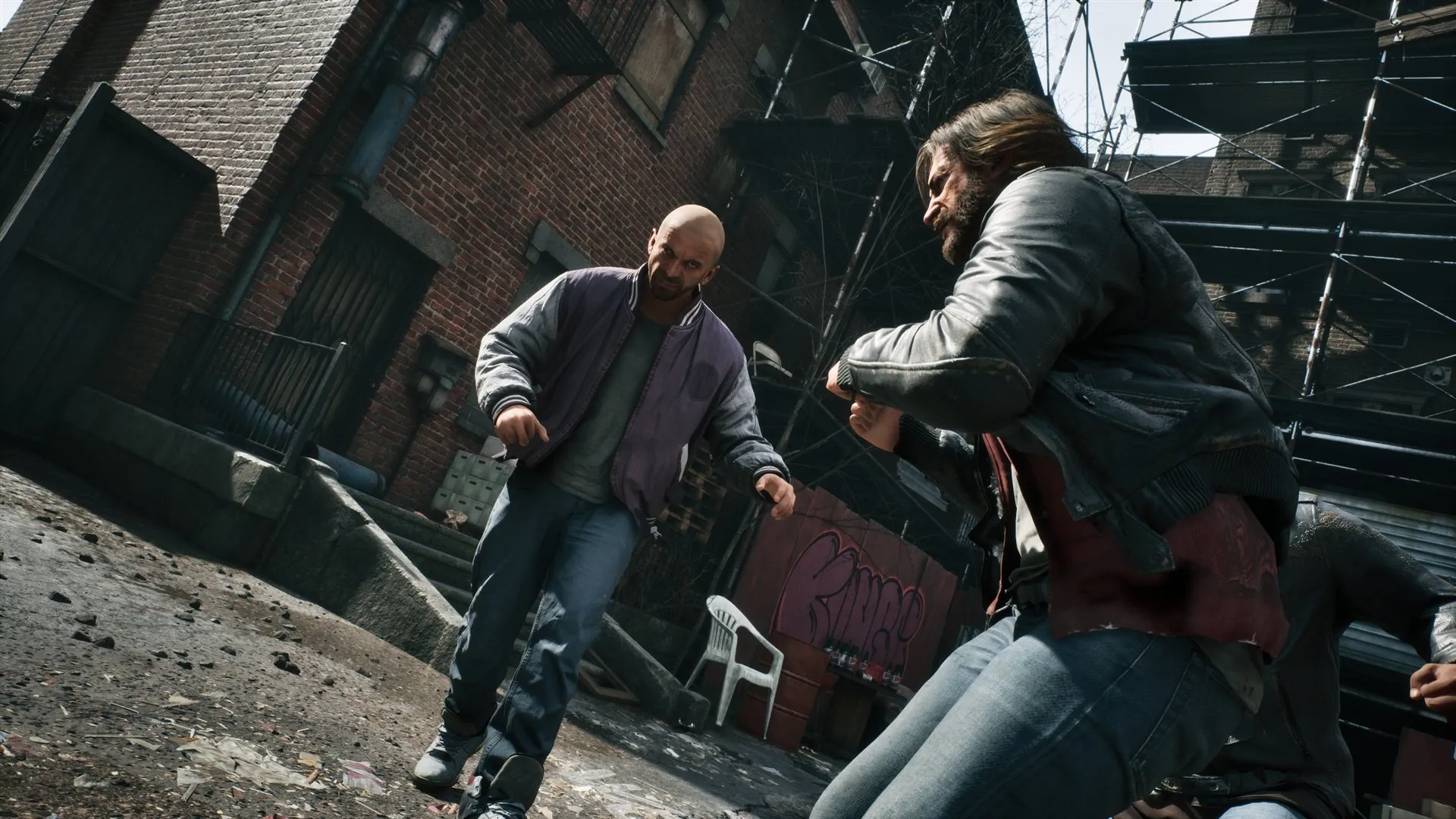 Three NPCs in a fight. Each is a modular character with a leader mesh and several follower meshes, plus hair, cloth and a post-process animation Blueprint that used to initialize at spawn.
Even with pooling, a character entering the world used to pay for everything up front: groom (strand hair) simulation, cloth, the post-process animation Blueprint. Each is individually reasonable, and together they made every NPC spawn a small hitch. Three changes spread that cost out:
- Groom simulation activates at LOD0 instead of at spawn. Most NPCs never get close enough to need simulated hair, so most now never pay for it. This also fixed a bug where every NPC carried the base cost of hair simulation regardless of distance. The activation is also staggered so it never lands on the same frame as cloth or post-process init.
- Post-process AnimBP creation is rate-limited to one character per frame, and postponed until the character reaches LOD0. A burst of spawns becomes a ramp instead of a spike.
- Cloth is created when the player comes near, instead of when the NPC first appears in the world.
Spawn cost is pure hitch, and “initialize everything just in case” charges every spawn for features only the closest band ever uses. Gate initialization on the LOD band that needs the feature (Part 3, §17), and rate-limit whatever must be global.
We also moved spirit materialization from the beginning of the end-of-frame phase to after the render-thread kick, so heavy game-thread spawn work no longer delays the render thread starting on the frame. In this case, moving the work was worth as much as making it cheaper.
For your own project: profile one spawn of your heaviest character and list everything that initializes before the first visible frame. For each item, ask whether it could wait for proximity or first use, and whether anything else is computing it too.
14. Batched ticking: one tick function per group instead of one per object
Unreal gives every ticking actor and component its own FTickFunction. Each one is a separate entry in the tick scheduler and a separate cache miss when the scheduler walks its list. In the stock engine each is also its own task, with a task-graph hop between every object. The engine can merge tick functions with the same prerequisites into shared tasks when tick.AllowBatchedTicks is enabled. It is off by default, and we turned it on (see the Part 1 table). That removes most of the hops, but every object still has its own tick function to register, queue, sort and walk each frame, and the engine still decides where and how often each one runs. With hundreds of NPC controllers, path followers, vehicle components and audio emitters alive at once, that bookkeeping is a measurable share of the frame before any of them does useful work.
Our bulk tick subsystem replaces that with one tick function per tick group. A system registers each object in BeginPlay with a tag, a tick group and an update function, and unregisters in EndPlay. The subsystem disables the object’s own tick function and calls the update from a flat loop when the group’s single tick function runs. The scheduler sees one entry per group instead of hundreds, and objects of the same type update back to back.
 Unreal Insights, game thread, one DuringPhysics tick group in a build without our batched ticking. Every component has its own tick task, and the space between the yellow tick boxes is the tick system’s own overhead: scheduling the task, checking prerequisites and completing it. Bulk ticking removes that space. Grooms, audio emitters and combat components in this frame have since moved to bulk tick functions.
In our game, eighteen component types register this way, across NPC AI, vehicles and audio. Engine and plugin classes such as Wwise audio components, grooms and cinematic cameras join through a separate registrar keyed by class name, so the game module does not depend on those plugins at compile time.
The scheduler saving is the smaller part of the gain. Owning the dispatch gives us:
- A place to move work off the game thread. A registration can be flagged async safe, which puts it in a second per-group tick function that the engine dispatches on a worker thread. It can also be flagged parallel safe, which lets members of the same group run concurrently. The Wwise audio component tick runs this way and no longer touches the game thread. The pattern for an async-safe update is to compute on the worker and write results to a field, then apply anything with game-thread side effects later on the game thread. Our vehicle autopilot is the reference implementation of that pattern, and LOD-sync components follow it too: they compute the LOD choice on the worker and apply the final SetLOD on the game thread.
- A place to enforce tick intervals and throttling. Because the subsystem owns the dispatch, it can honor a per-registration interval with a wall-clock accumulator, and the 30Hz caps from §8 are applied there for the systems that go through it.
A runtime cvar switches every registered system between bulk and engine-driven ticking. That is how the system was measured against the engine path, and it is the first thing we flip when a tick-order bug appears, since it isolates the subsystem in one step.
Problems we ran into:
- Engine tick APIs have no effect. Once an object is bulk-driven its own tick function is unregistered, so
SetComponentTickIntervaland similar calls change a value nobody reads. We had to honor the interval ourselves, and doing so revealed that our distance-based AI throttling had never worked, because it was set through that same call. - Registering by class name catches subclasses. The registrar sweep that put the Wwise component tick on a worker thread also matched our own listener component, which overrides that tick with game-thread-only work. It ran on a worker until it got its own registration.
- Enable and disable have one frame of latency. Callers can still toggle ticking with the engine’s normal functions, since the enabled flag updates even on an unregistered tick function. The subsystem reads the flag once per frame and moves the entry between an active and a suspended list, so a toggle takes effect on the next dispatch instead of the current one.
For your own project: turn on the engine’s tick batching first, since it costs nothing. Then count the tick functions registered in a busy scene, and group them by class. Any class with more than a few dozen instances is a candidate for one shared tick function. Keep a cvar that flips each class back to the engine path so you can measure the saving and bisect bugs. And decide up front which updates are safe on a worker thread, because that is where the larger win is once the scheduler overhead is gone.